How to become a Cinemata Trusted User
Cinemata hosts a growing library of social issue films from the Asia-Pacific. Anyone with an account can upload, but Trusted Users get more room to work: they can publish without waiting for review, choose who sees their films, upload in batches, transcribe and translate with AI, and curate themed playlists. Here's how to become one.
Who can apply
Trusted User status is for filmmakers, student filmmakers, video collectives, film programmers, community media groups and advocacy organisations working on social issue films about the Asia-Pacific. It's free.
Trusted Users help keep Cinemata true to that focus, so we ask that you're familiar with our Editorial Policy before applying.
How to apply
- Make sure you have a Cinemata account. If you don't have one yet, follow our guide on how to open a Cinemata account.
- Fill in the Trusted User application form. Tell us a bit about yourself or your group and the kind of films you make or share.
- Our site moderators will review your application. Please give us a few days. Applications sent over the weekend may take a little longer.
- Once you're approved, we'll send you an email letting you know you're now a Trusted User.
What you can do as a Trusted User
Publish without review
Uploads from regular accounts stay private until a moderator reviews them. Trusted Users can publish straight to the public. This comes with responsibility: Trusted Users understand what Cinemata is for and help uphold it. Films are still subject to our Editorial Policy after they go live.
Choose who sees your films
Not every film is meant for everyone, and Trusted Users can set each film's visibility to one of four options:
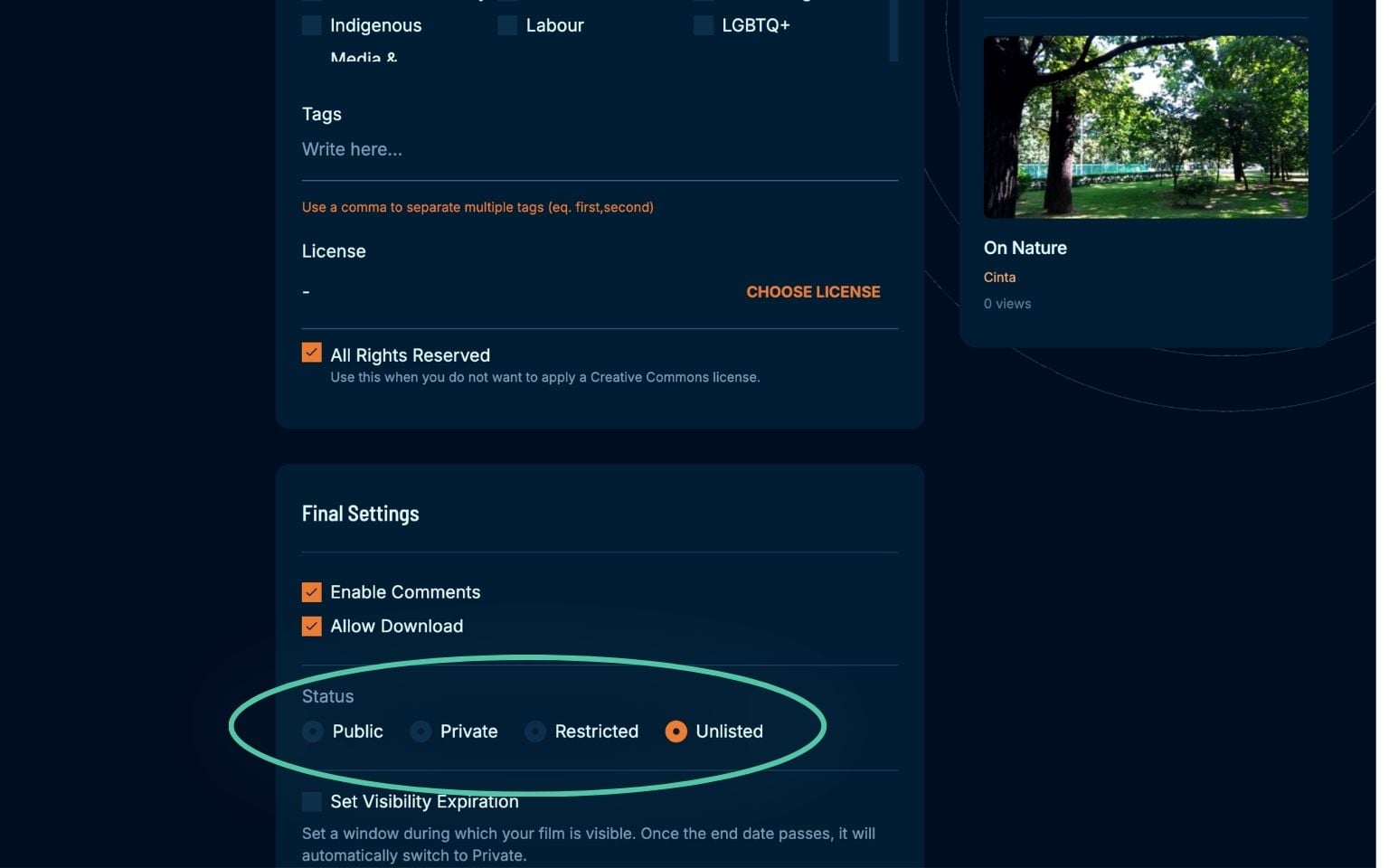
- Public: Your film appears in Cinemata's listings and can be featured on the front page. Every film on the front page is public.
- Private: Only you can see it. This works well for small screenings played directly from Cinemata, and advocacy groups use it to screen censored films while keeping risk low.
- Restricted: Viewers need a password to watch. See how to add password protection to your film.
- Unlisted: Your film stays out of Cinemata's listings, but anyone with the link can watch. Good for sharing with a select group.
Upload up to ten films at once
Batch uploads save a lot of time for film programmers, community media producers and schools with a whole collection to share.
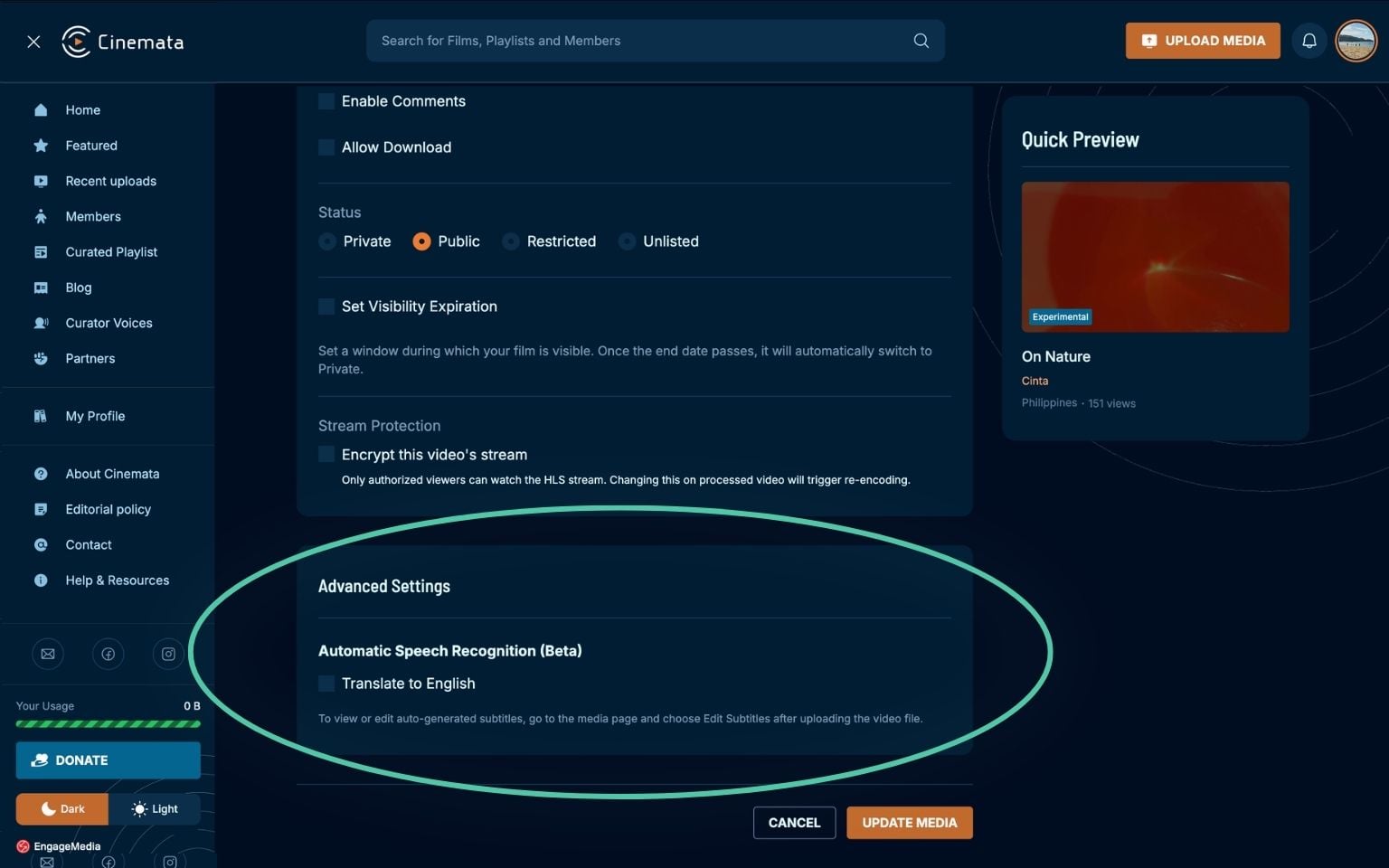
Transcribe and translate with AI
Since June 2023, Cinemata has used Whisper, OpenAI's speech recognition model, so Trusted Users can transcribe their films and translate them into English. It's a quick way to reach viewers beyond your film's original language.
Curate themed playlists
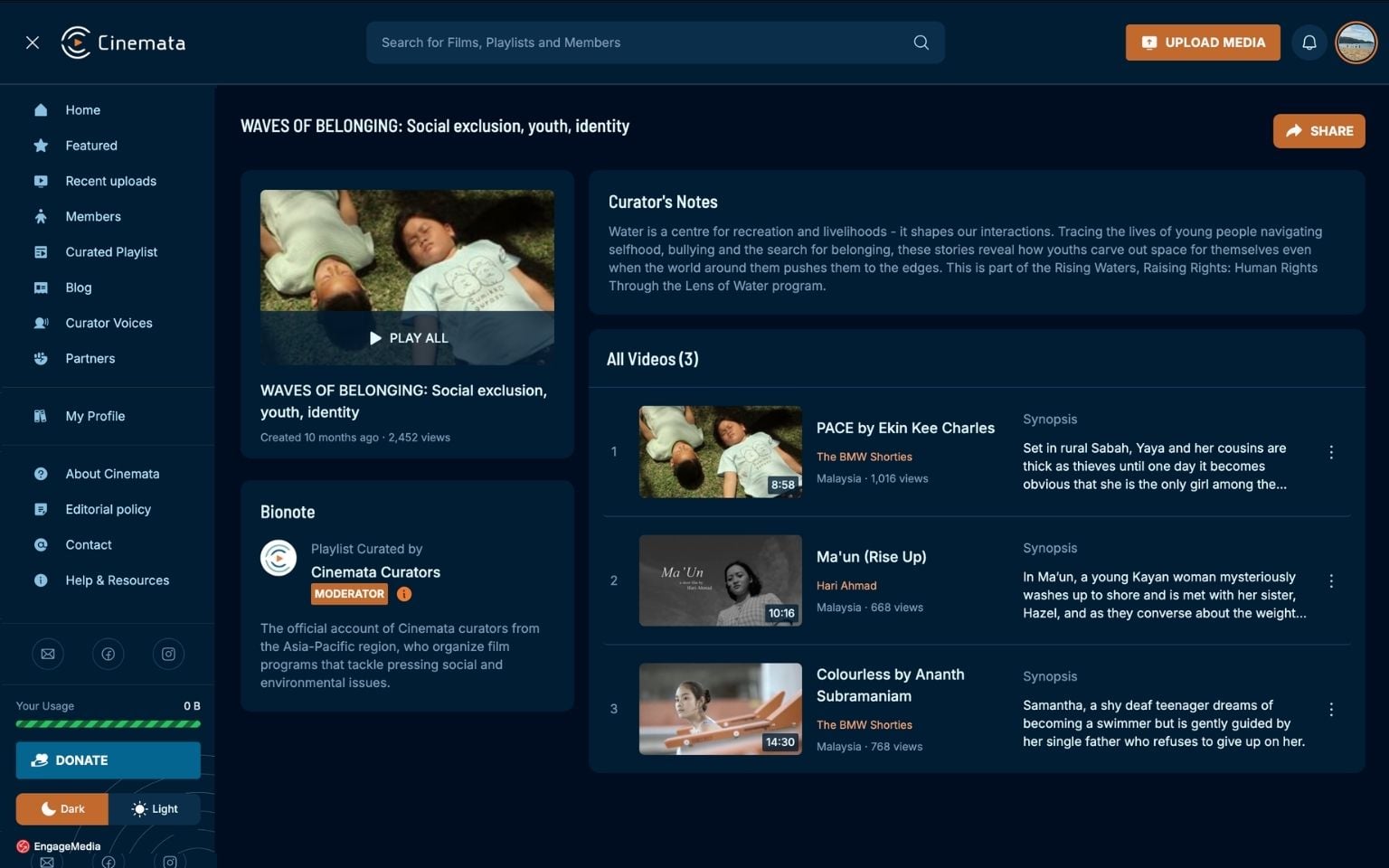
Trusted Users, editors and managers can gather public, unlisted and password-protected films into themed playlists for film festivals, classes or advocacy campaigns. Private films stay private, and you decide how each collection is shared.
Ready? Apply to become a Trusted User.