How to add password protection to your film

If you're a student filmmaker or video activist addressing social issues in the Asia-Pacific region, Cinemata.org now offers a free password-protected content feature. You must also be a Trusted User to use the feature. Follow the steps below:
- Upload your video to Cinemata.org.
- Fill in the information in the Edit Media page, including topics, tags, and video categories, to make it easier for the site's audience to find and access your content. Follow this guide to know more.
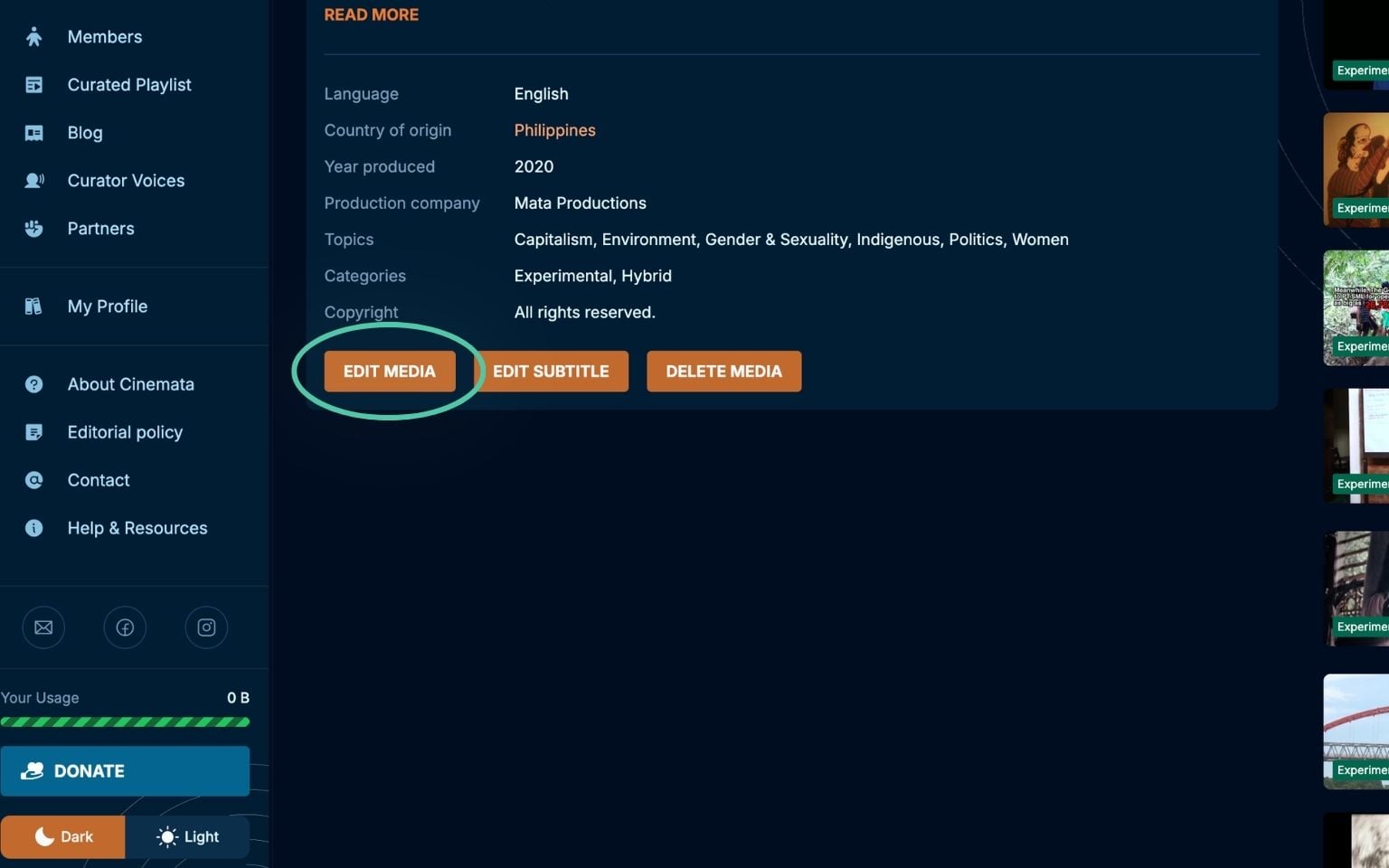
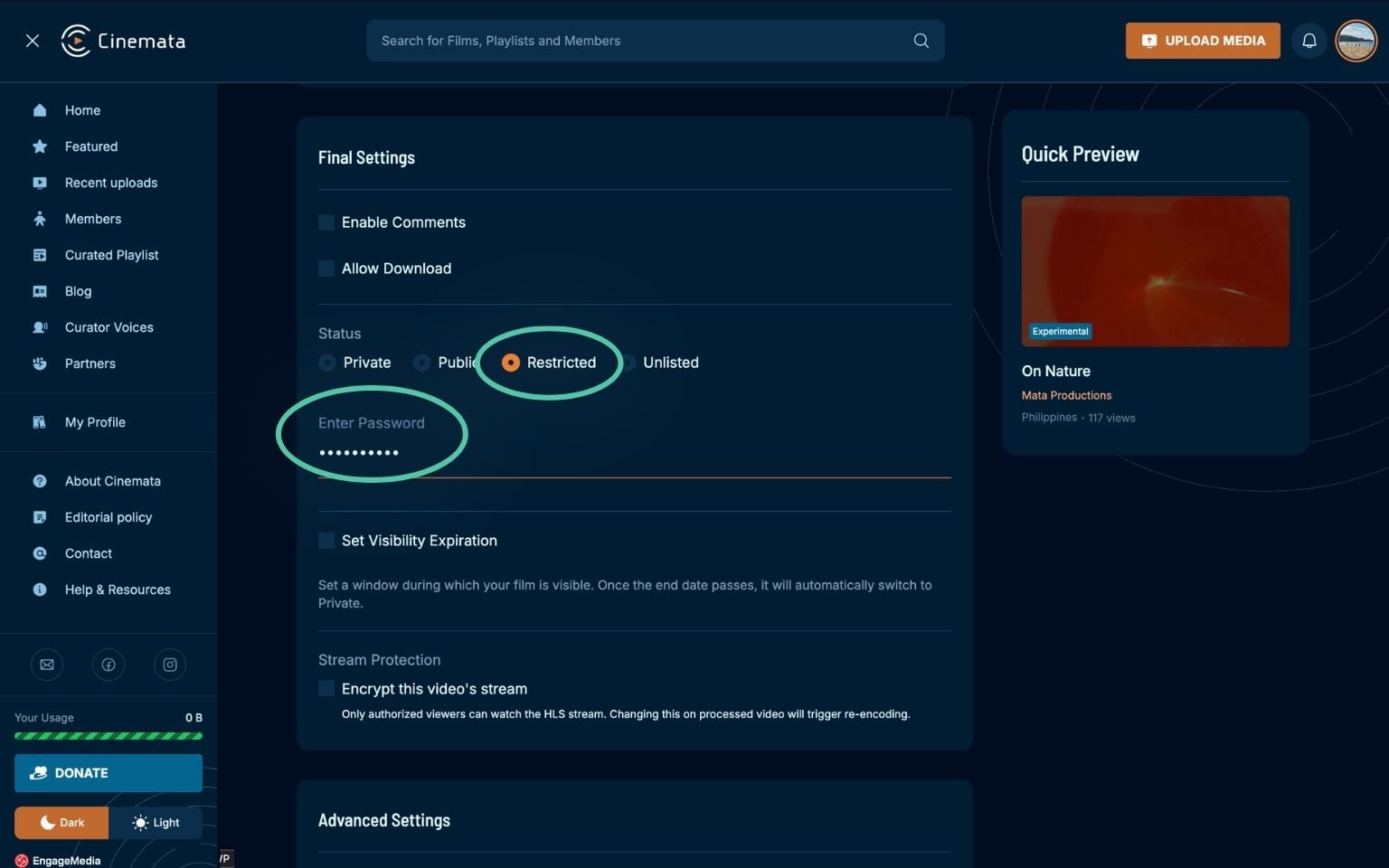
- Under Status in Final Settings, choose Restricted. Add a password to your content to ensure only the intended audience can access it. If you wish to distribute your video file, click the checkbox Allow Download.
- Finally, share the URL of your video with your target audience, who can use the password to access it.
By using this feature, Trusted Users can give screeners of their works to film programmers, festivals, and other potential partners who may need to view them privately. To become a Trusted User, please complete this online form and gain access to this feature.