How to upload a video
You need to be logged in to upload a video. If you need help with this, click here to view our login guide. Once logged in, follow the steps below.
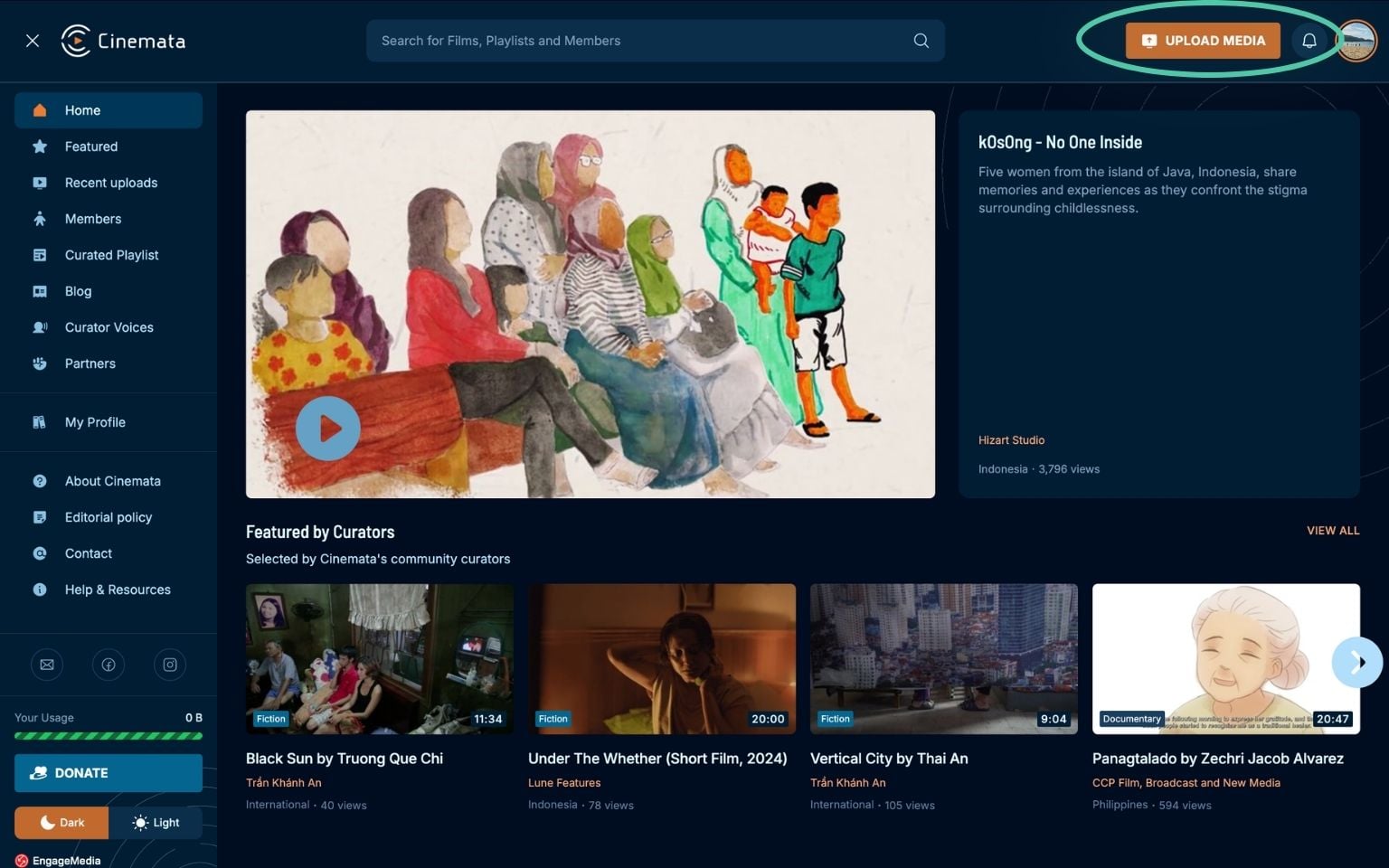
- Click the Upload Media button on the upper right side of the website.
- On the Upload Media page, drag your video onto the box or click the Choose Media button. Once selected, the page will show the status of the upload.

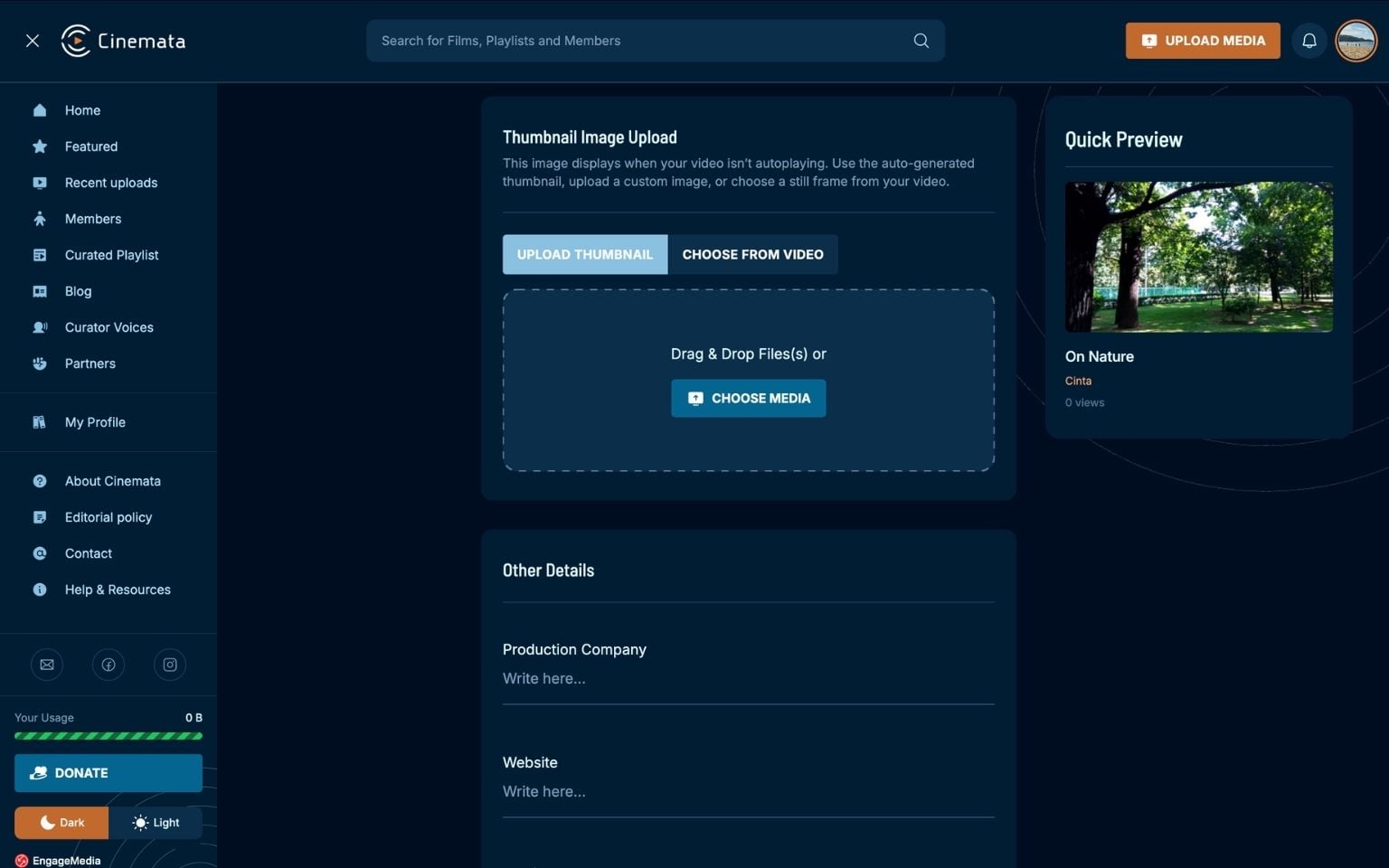
- Once the upload is complete, a form will appear asking for the video's basic details:
- Title
- Synopsis
- Information and Credits
- Year Produced
- Thumbnail
- Other Details: Production Company, Website, Media Language, Categories, Content Sensitivity, Topics, Tags, License
- Final Settings: Enable Comments, Allow Download, Status, Stream Protection

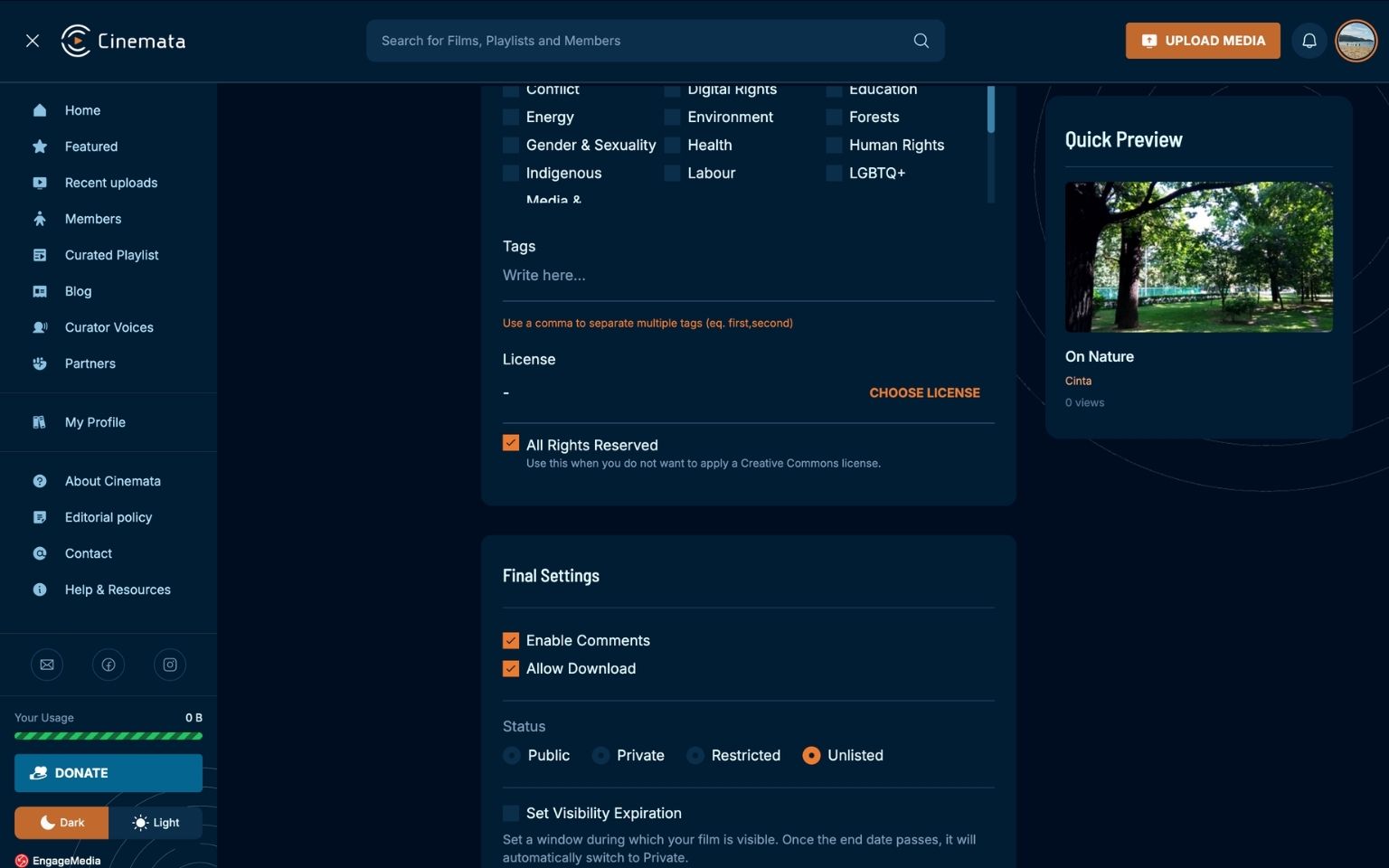
- After completing the details, click Share Media to save your video.
If you are a regular user, you may only upload one video at a time. As a Trusted User, you may upload multiple videos simultaneously.

Please contact [email protected] to become a Trusted User.