How to delete your account
Deleting your account is irreversible. We will not be able to recover any of your data.
You need to be logged in to delete your account. If you need help with this, click here to view our login guide. Once logged in, follow the steps below.
- Go to My Profile. You may click on your avatar at the right side of the top menu bar which will open a dropdown sub-menu. Click on the first item showing your username or My Profile.
- If your side bar is open, you may also click on the My Profile button.
- On the right side of the website, below your banner, you will see the Delete Account button beside the Edit Profile button.
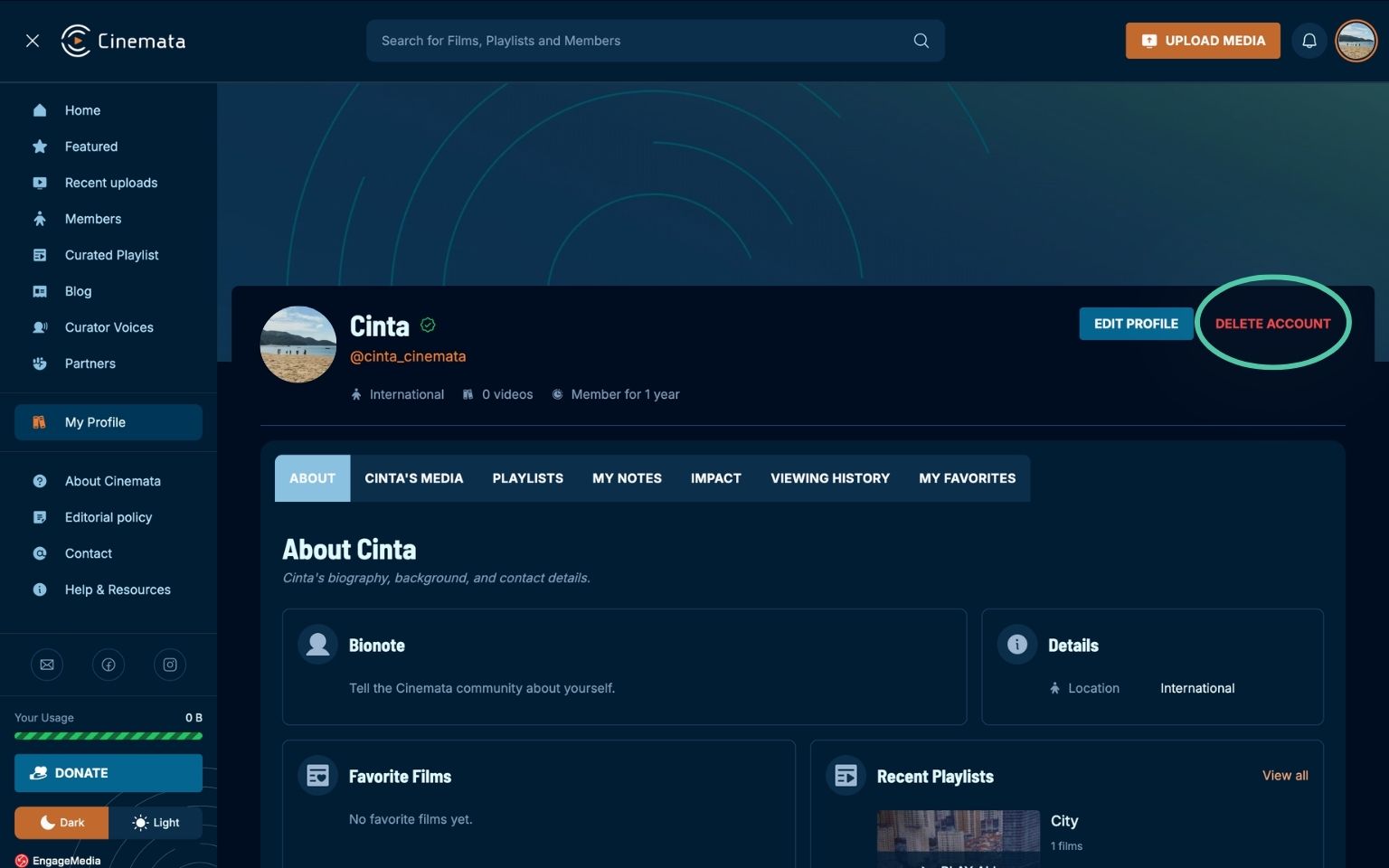
- Upon clicking, you will be prompted to confirm deleting your account.
- Click OK.
- Once you click OK, you will be redirected to the homepage and will no longer be able to log in.