How to create a playlist
You need to be logged in to create a playlist. If you need help with this, click here to view our login guide. Once logged in, follow the steps below.
- Go to the page of the video you want to add to a playlist.
- Below the title of the film, click the Save to Playlist button.
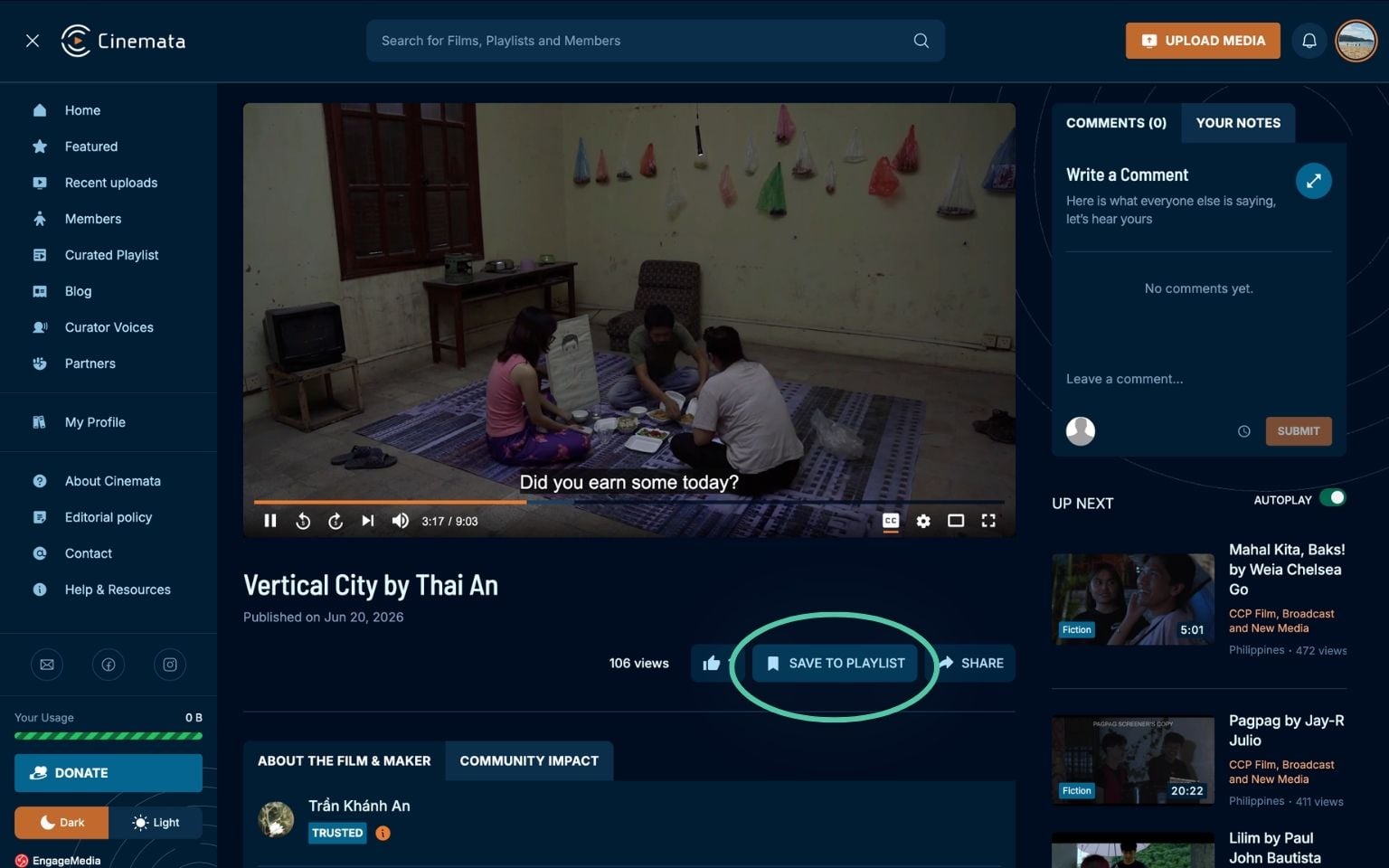
- A modal will appear asking you to create a new playlist or add the film to an existing one. If the playlist for your film does not yet exist, click the Create New button in the upper right corner of the modal.
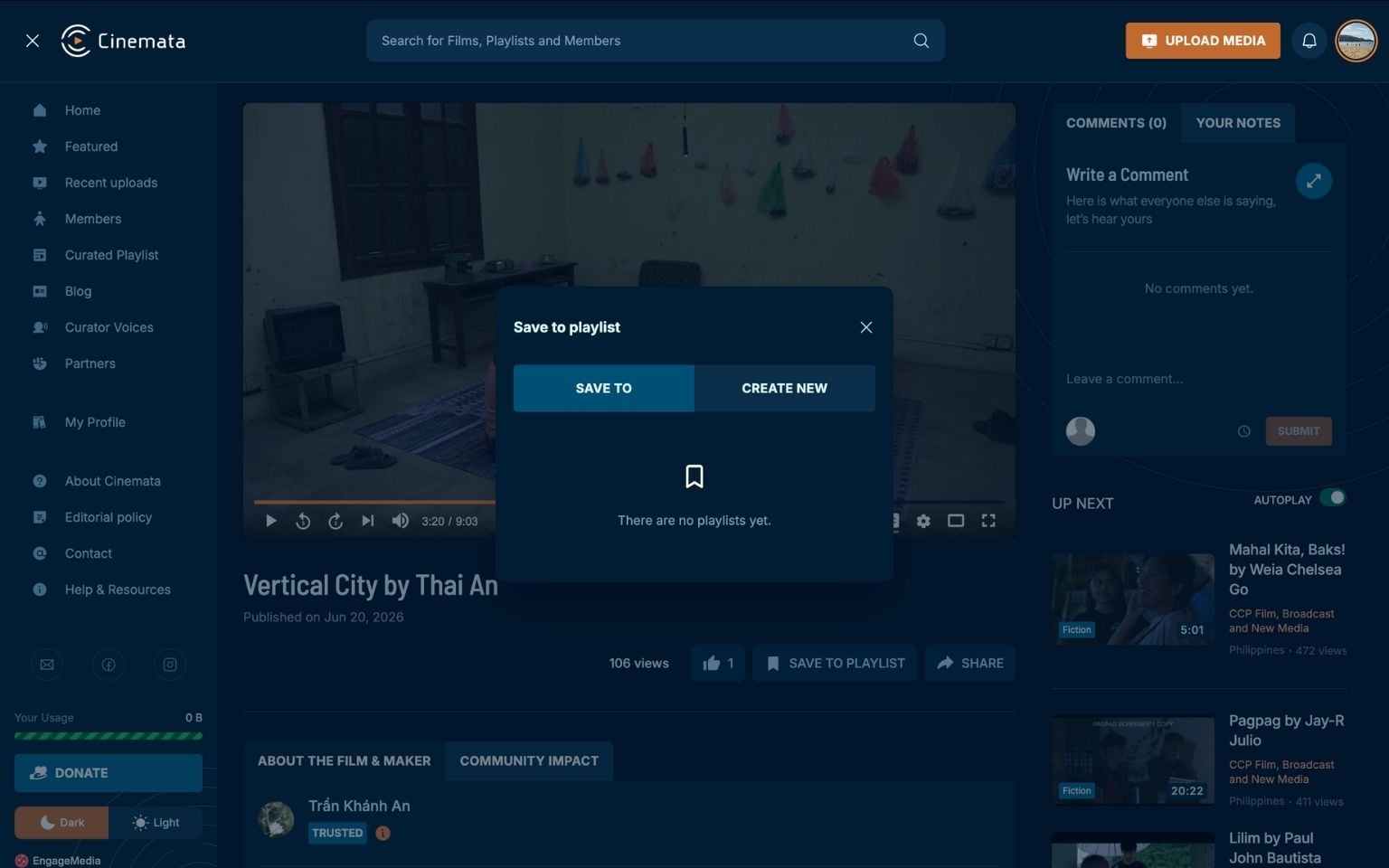
- You will be asked for the playlist title (required) and a description.
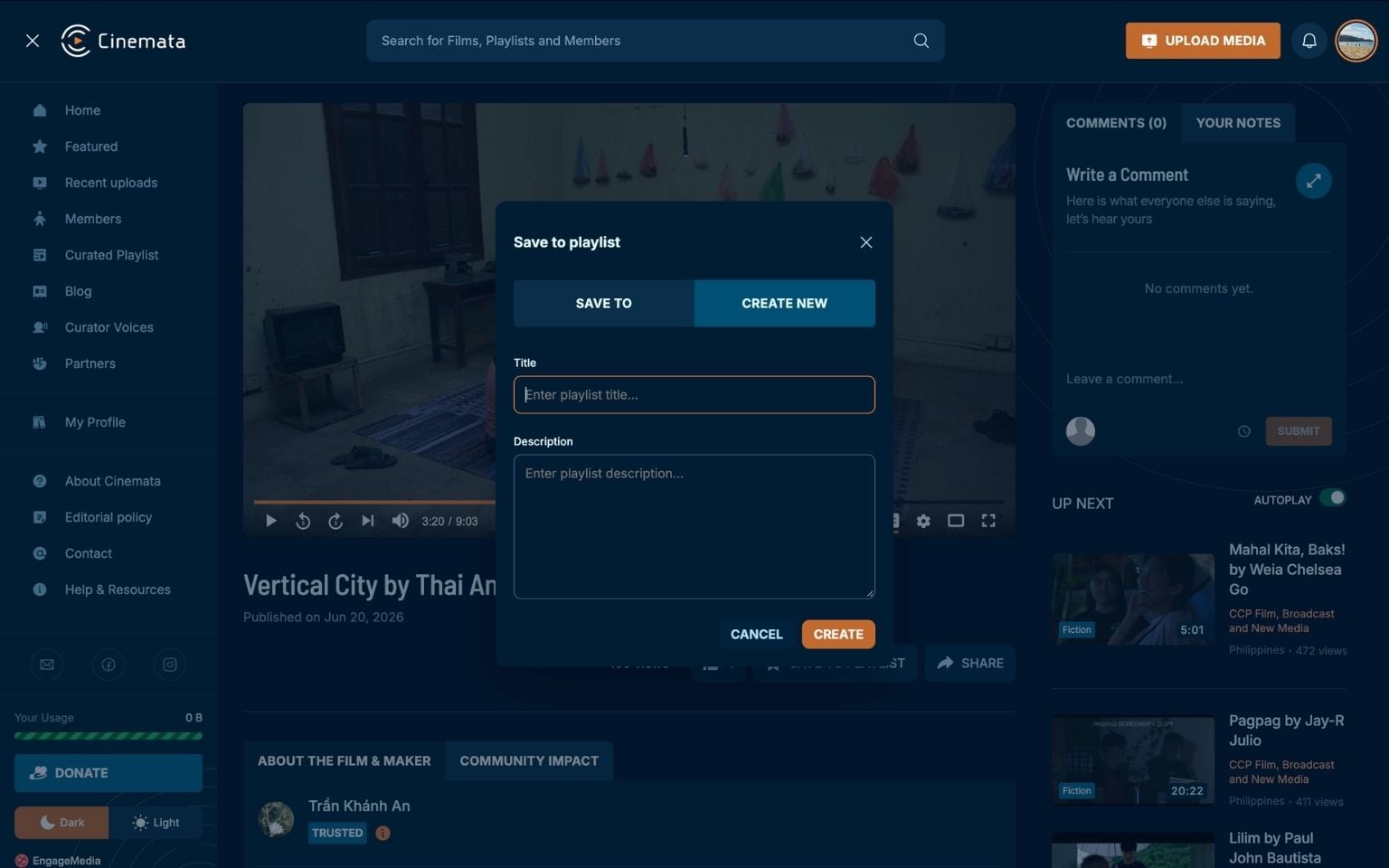
- Add the playlist title (e.g., "35th Gawad Alternatibo Curated Sections", or the specific name of the Curated Section if there is one), then add a short description of the playlist. You may copy and paste the description from another document for convenience.
- Click the Create button.
You can create more than one playlist. To add more films to a playlist, go to the video page and click the Save to Playlist button. The playlist you made should now appear.
To view the playlists you've made, go to My Profile on the sidebar. There you will find all the playlists you created.