How to comment on a film
Comments let you share your reactions, start conversations and engage with filmmakers and fellow viewers, and they are visible to all Cinemata users.
You need to be logged in to add comments on a film. If you need help with this, click here to view our login guide. Once logged in, follow the steps below.
- Go to the page of the video.
- At the right side of the panel you will see two tabs: Comments and Your Notes. The Comments tab is open by default.
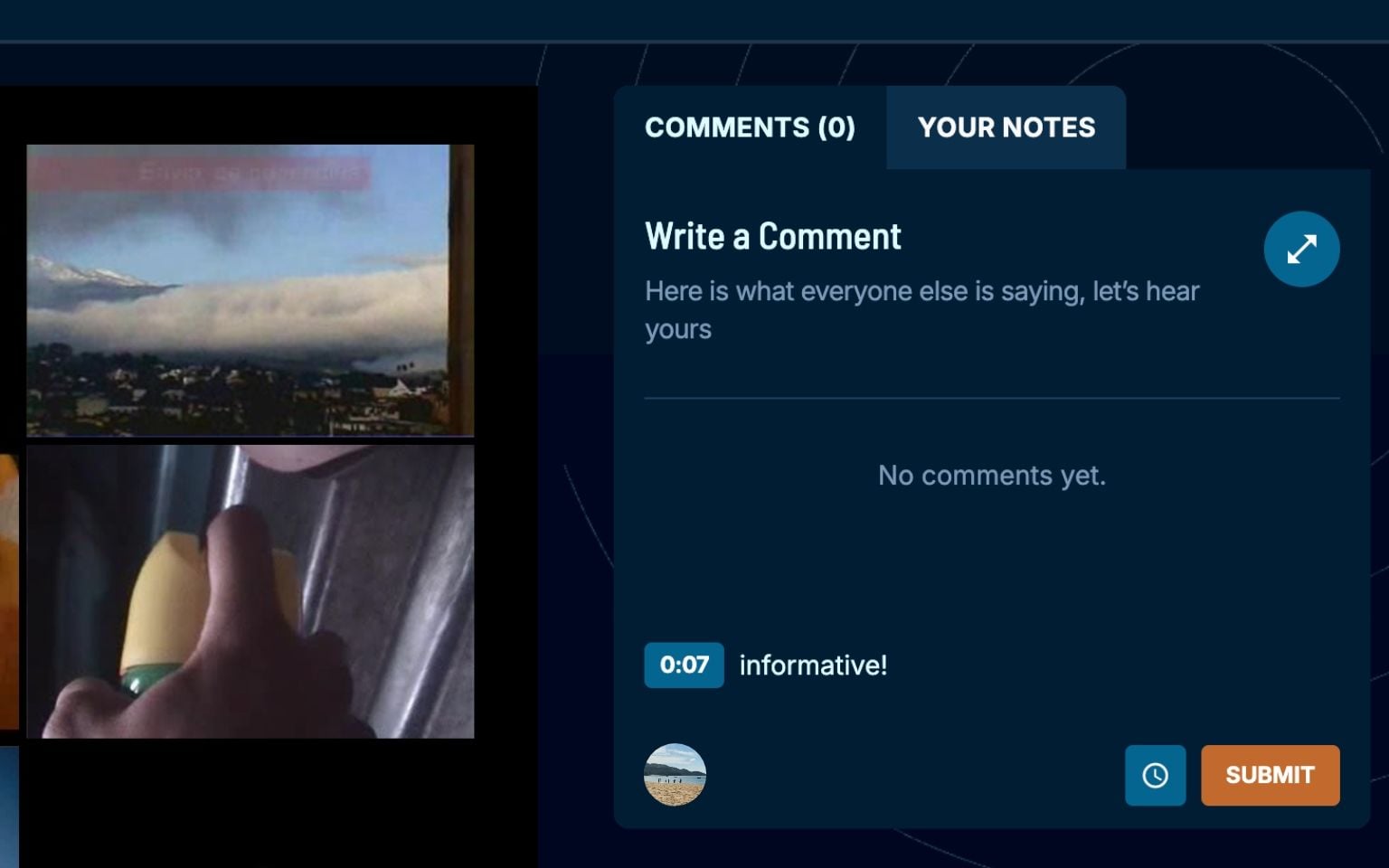
- Write your comment.
- To refer to a specific moment in the film, toggle the timestamp icon. This adds the video's current time to your comment, so other viewers can jump straight to that scene.
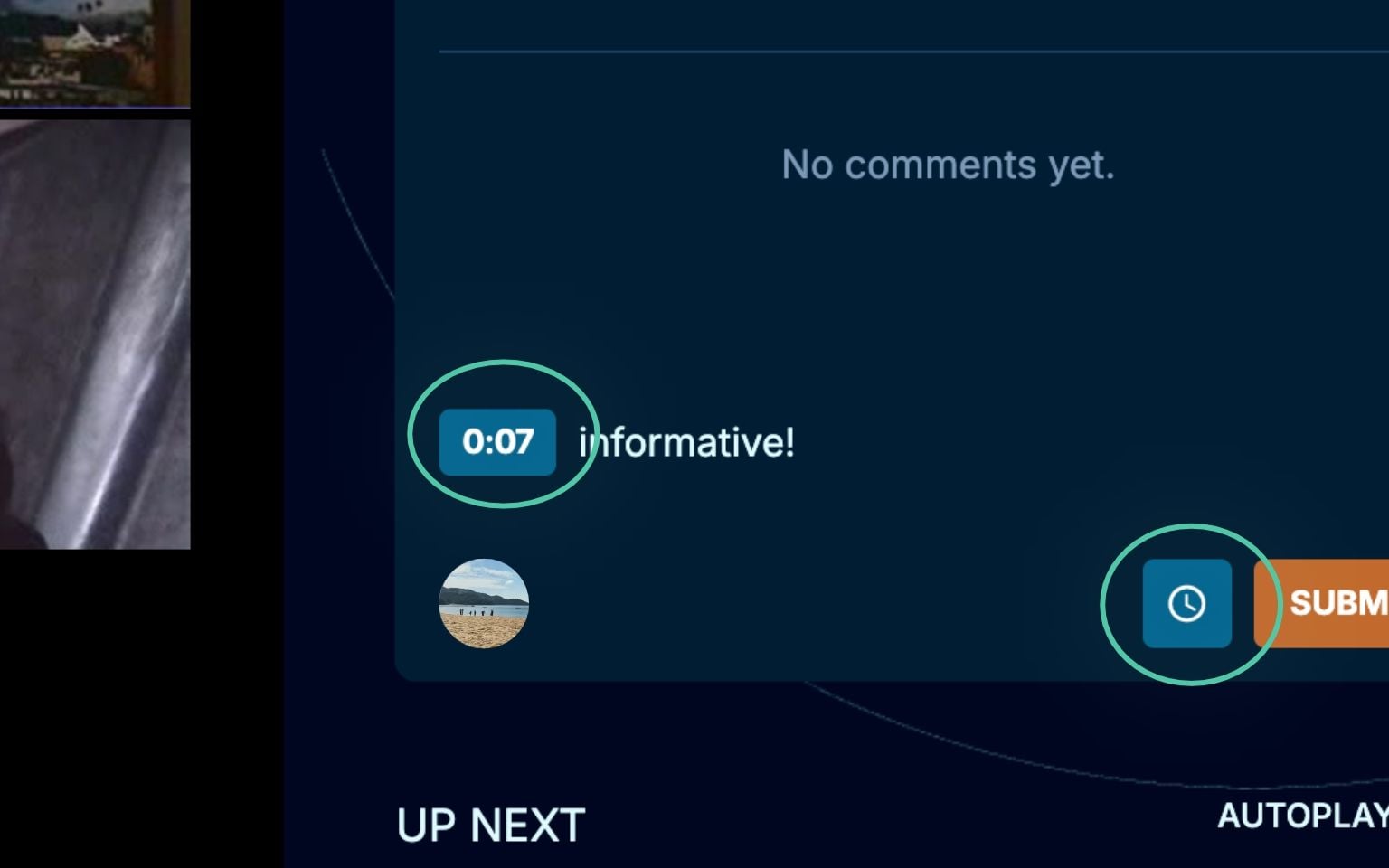
- Click Submit.
Your comment should now appear on the video page.