How to add or edit a film's community impact
You need to be logged in to add, edit or delete a film's community impact. If you need help with this, click here to view our login guide. Once logged in, follow the steps below.
- Go to your video page.
- Below the video details panel, you will see two tabs. Click on the Community Impact tab.
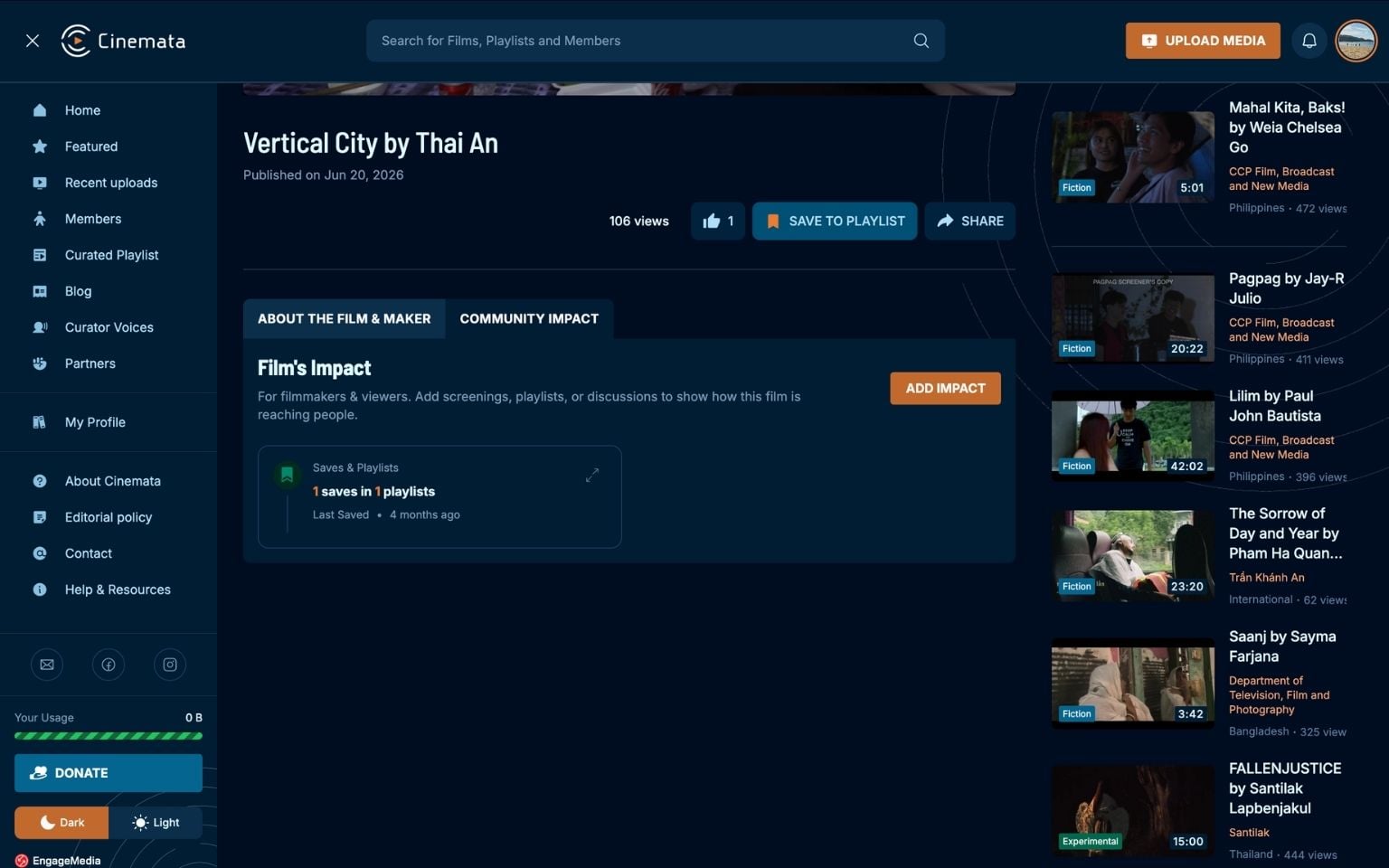
- You will see a list of screenings and places where the film was featured. Click the Add Impact button.
- A modal will appear where you can add where the film was shown or how it has made an impact on the community.
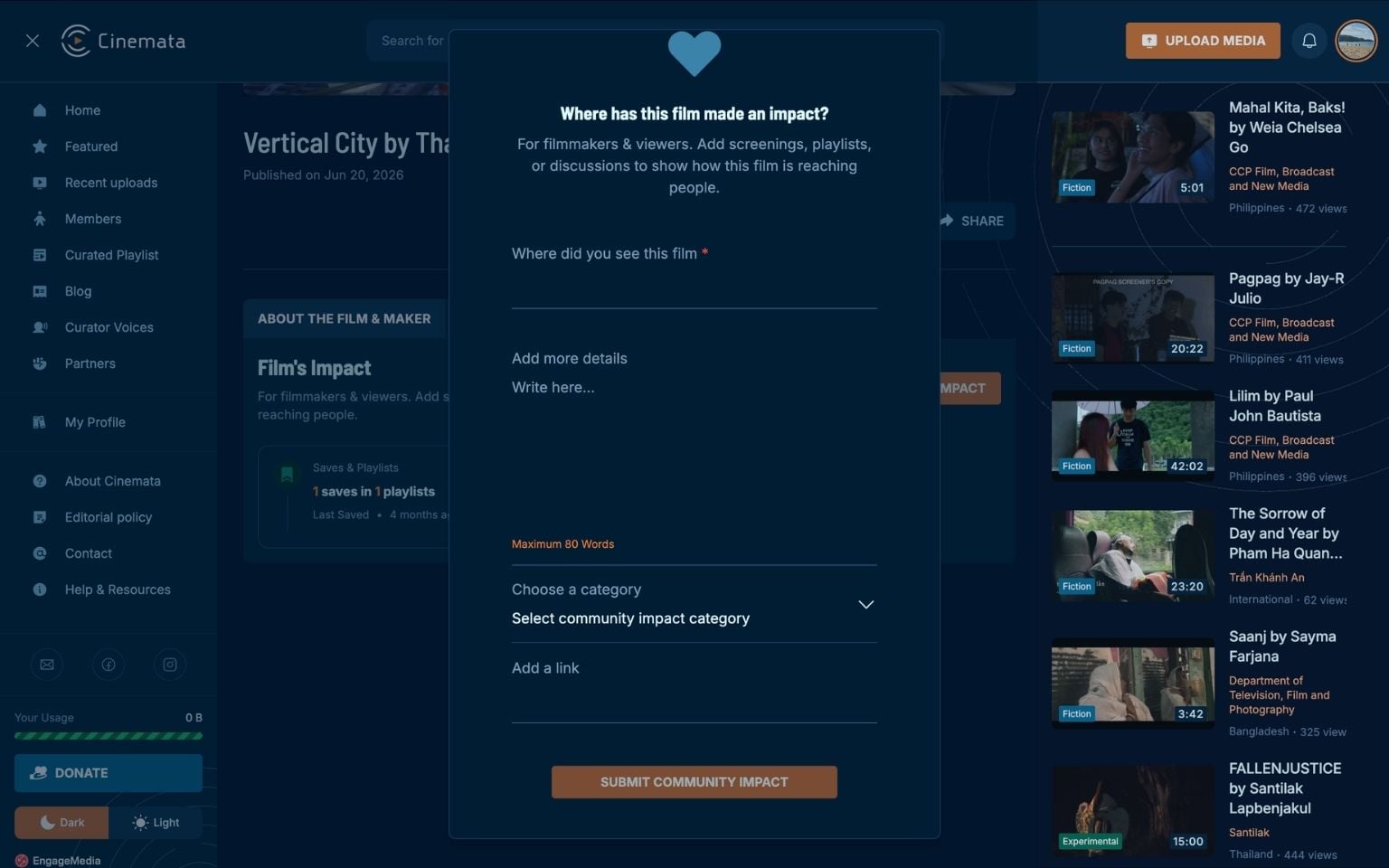
- Click the Submit Community Impact button.
- Your submission should now appear on the video page.