How to add, edit or delete your notes about a film
Your Notes lets you keep private notes on any film on Cinemata, so programmers and curators can track films for upcoming screenings, educators can prepare teaching points and discussion questions, and cinephiles can keep a personal film diary.
You need to be logged in to add, edit or delete your notes on a film. If you need help with this, click here to view our login guide. Once logged in, follow these steps:
- Go to the page of the video.
- At the right side of the panel you will see two tabs: Comments and Your Notes. Click on the Your Notes tab.
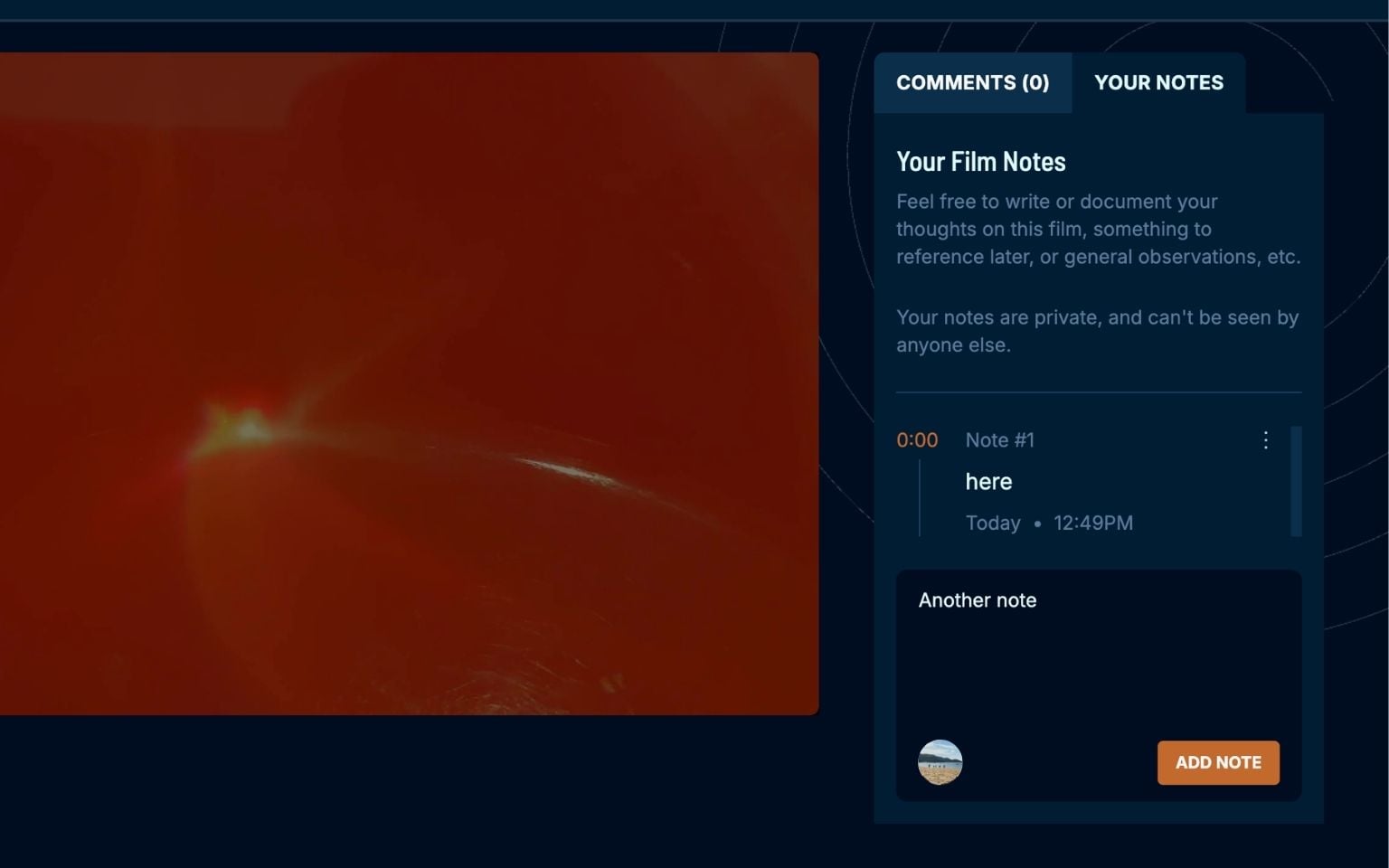
- Write a note in the field provided.
- Click Add Note.
Your note should now appear on the video page. Only you can see your notes.
To edit your note:
- Click on the three dots at the upper right part of your note. A dropdown will appear.
- Click Edit.
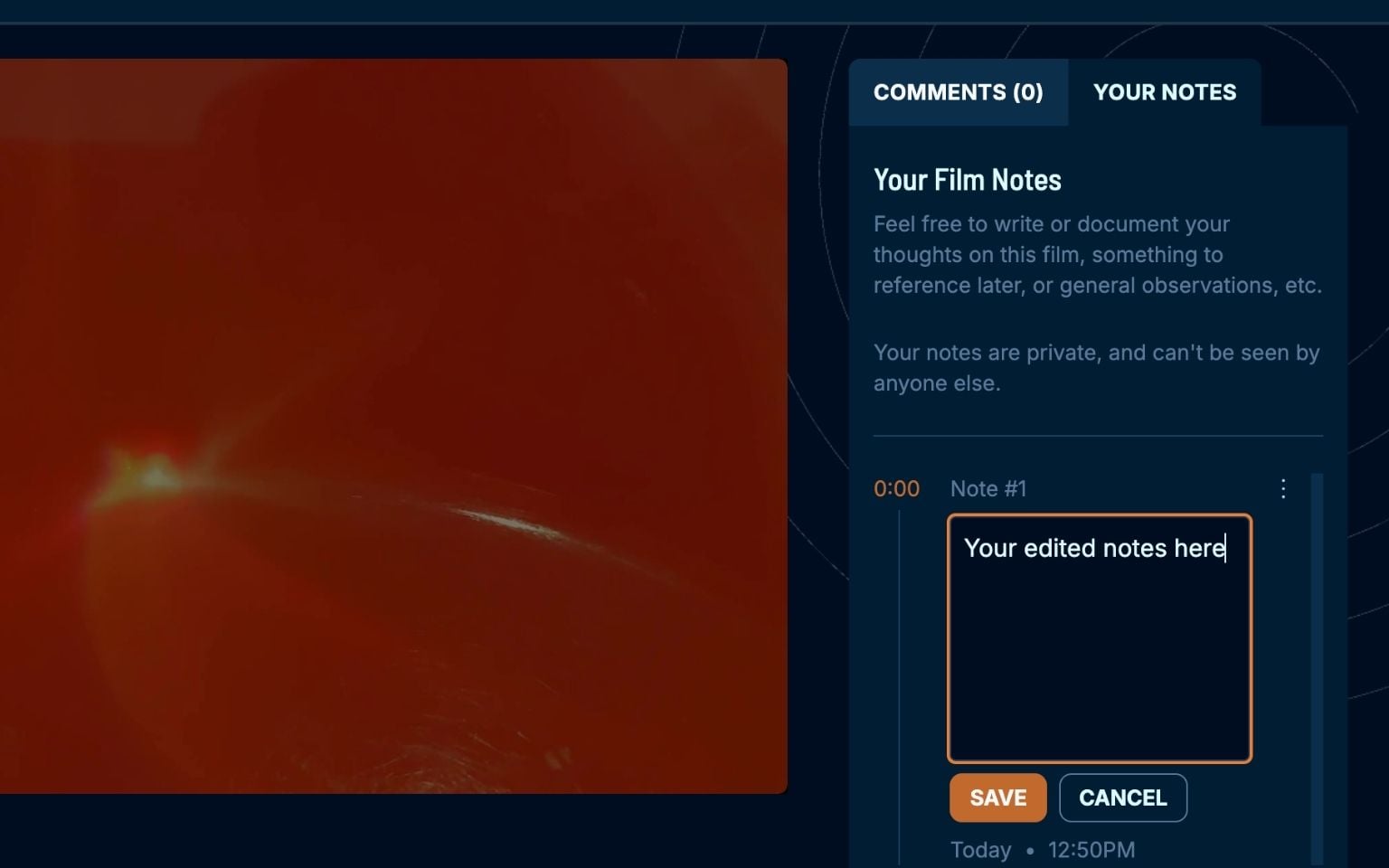
- Write down your edits.
- Then click Save.
To delete your note:
- Click on the three dots at the upper right part of your note. A dropdown will appear.
- Click Delete.
- You will be prompted to confirm deleting your note.
- Click Delete again to confirm.