What's New in Cinemata — 12 April 2026
This update brings some of the most filmmaker-facing changes we've shipped in a while — notifications for activity on your work, a dedicated page for managing your uploads, a new way to control who can technically access your films, and better playlist sharing. Here's what's in it.
🔔 You'll now know when people engage with your work.
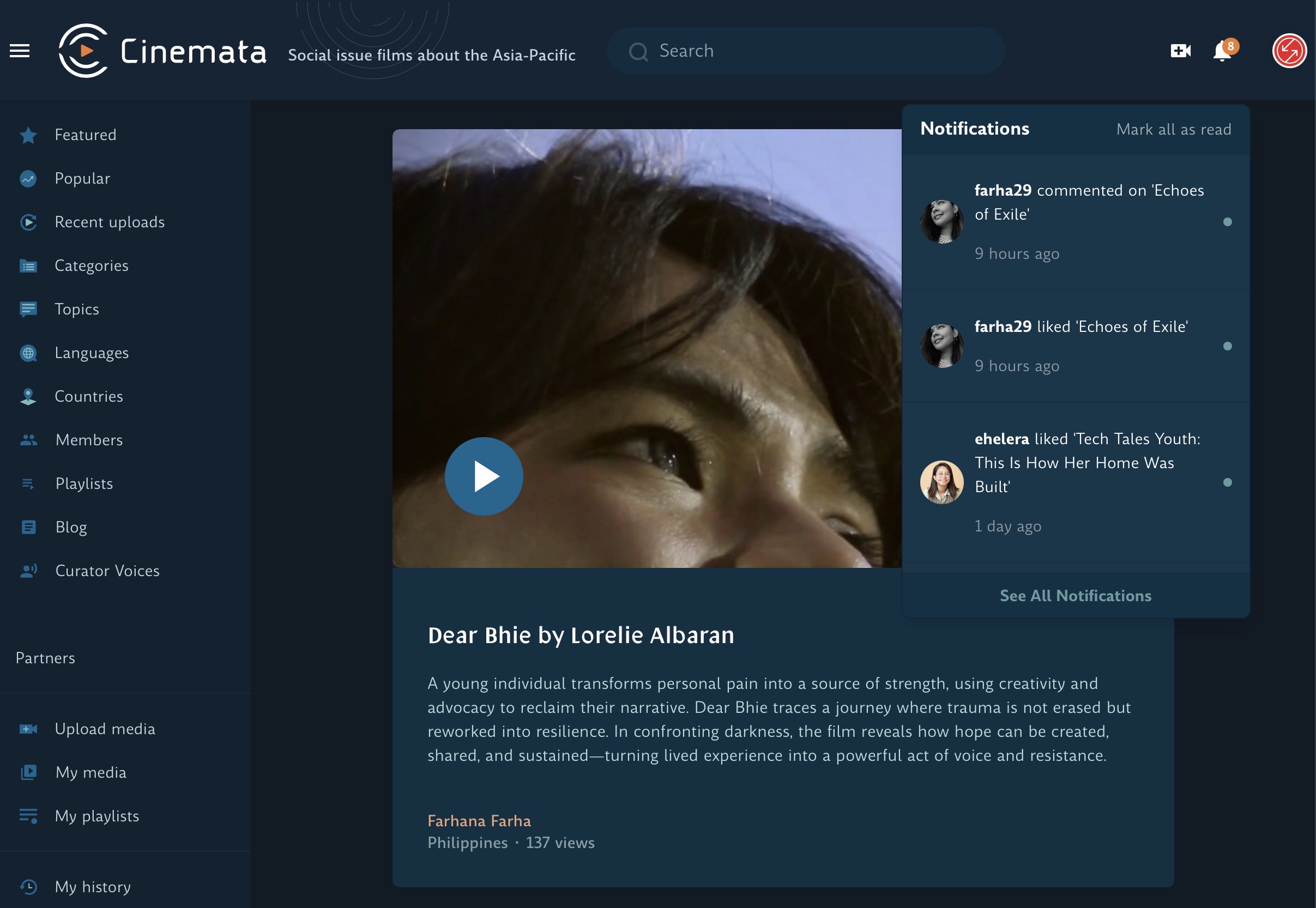
The notification bell in the top-right corner of the site header — your signal that someone has responded to your work.
Cinemata now has a notification system. A bell icon in the site header will alert you when someone likes a film you've uploaded, or leaves a comment. If you're actively sharing work through the platform, this closes a gap that's been there for a long time — you no longer have to check back manually to see whether anyone's engaging.
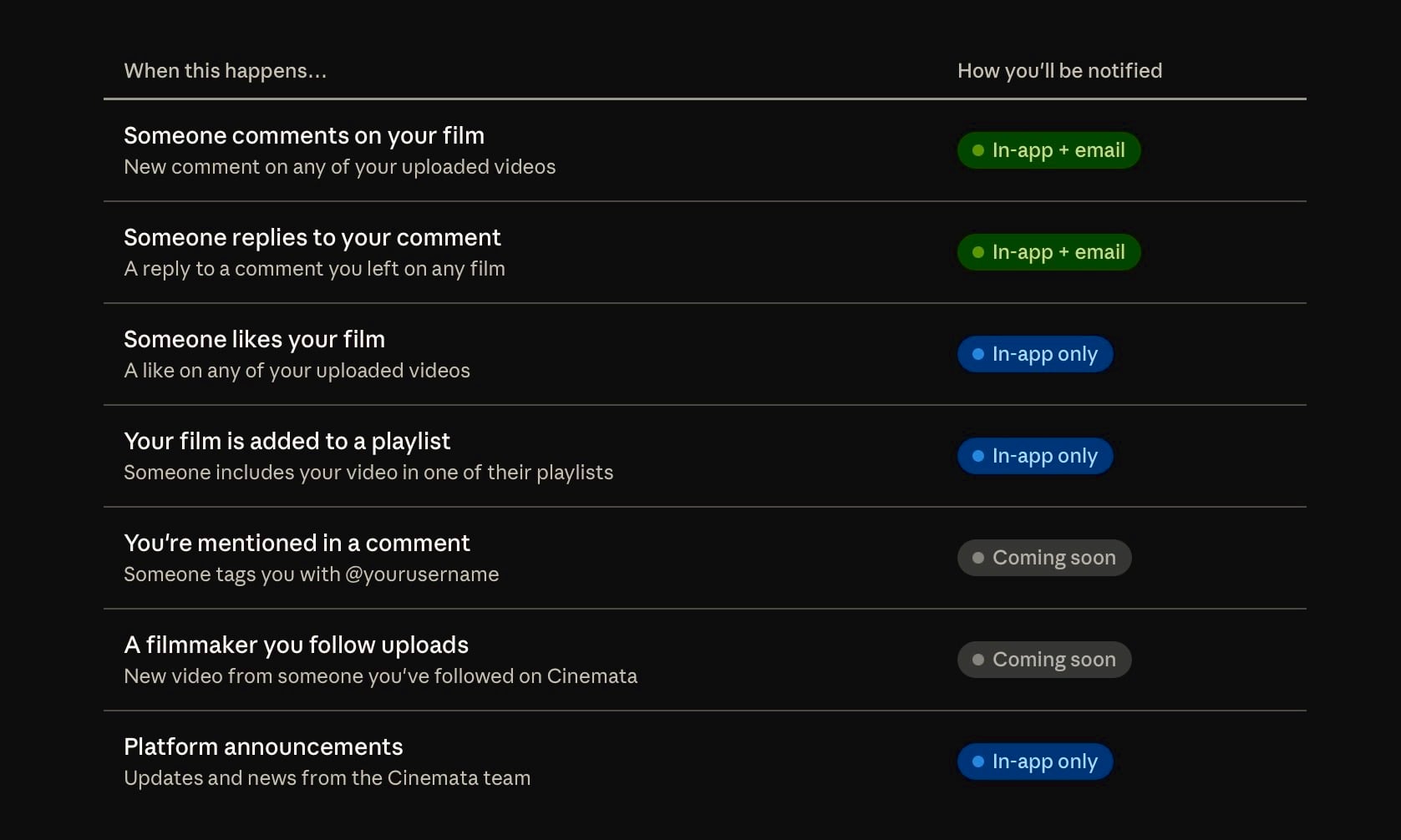
An overview of notification events — what triggers a notification and how it reaches you.
Notifications are handled in a way that doesn't require you to have the site open in a dedicated tab. They update in the background and appear when you next visit.
📁 A dedicated page for managing all your uploads.
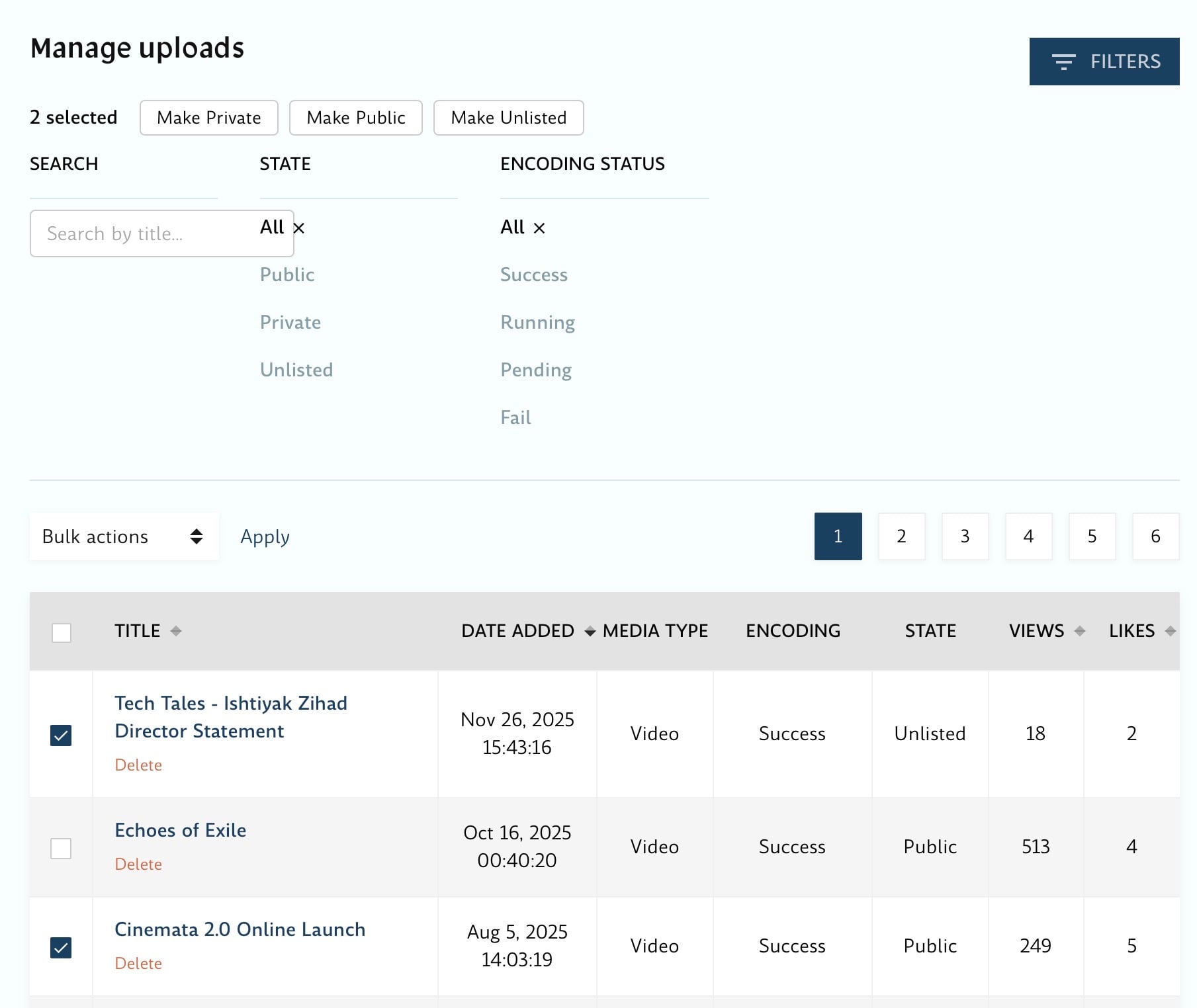
The Manage Uploads page, accessible from your account menu — all your uploaded films in a single view, with bulk actions available.
Cinemata now has a Manage Uploads page, accessible from your account menu. It brings all of your uploaded films into a single view, with bulk operations — so you can update visibility, remove videos, or take other actions across multiple uploads at once, rather than going into each film individually. If you've been on Cinemata long enough to have a substantial back catalogue, this is particularly useful.
🖼️ Sharing playlists now looks like something.
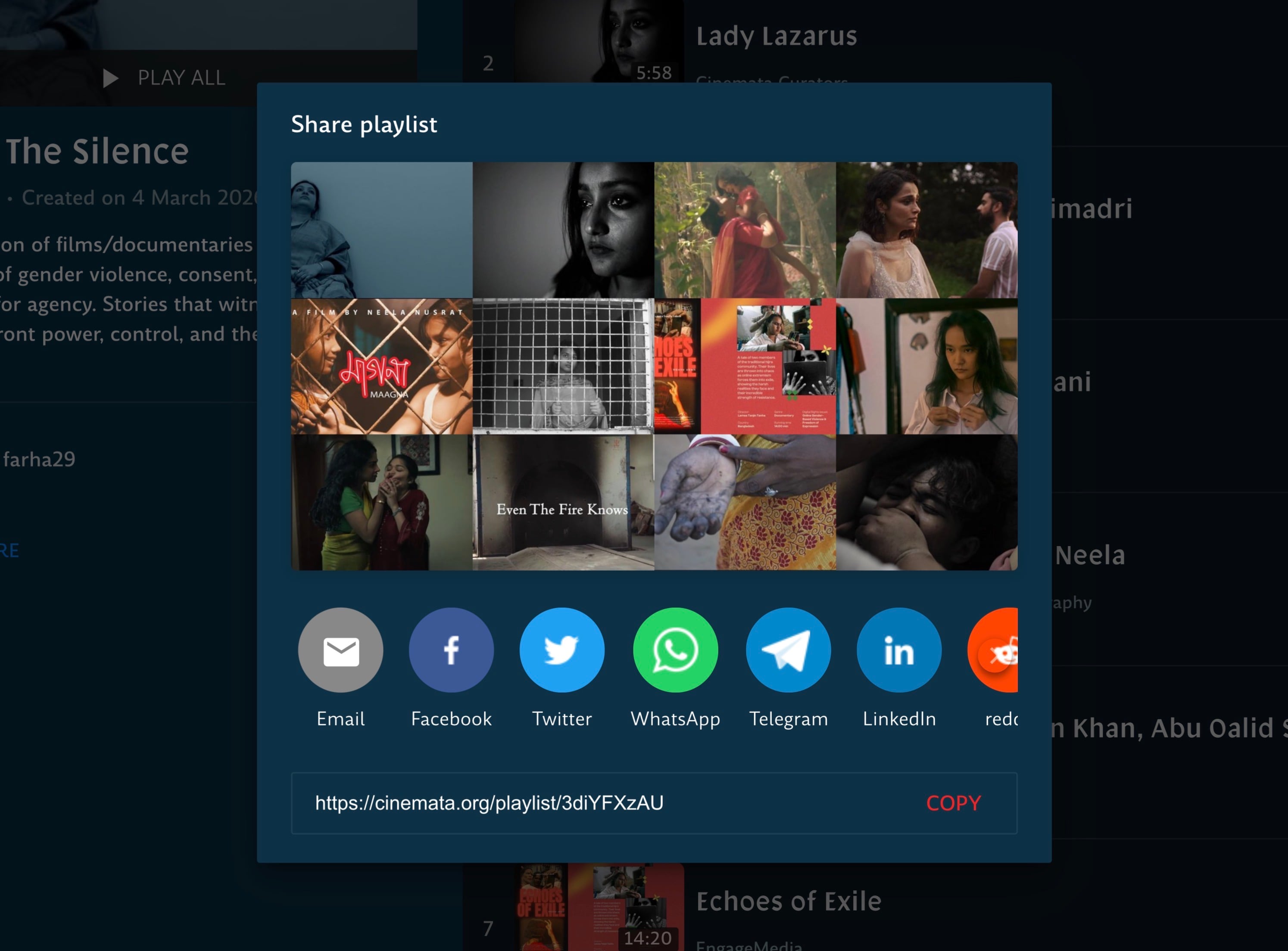
The playlist share interface, showing the composite thumbnail and options for sharing across platforms.
When you share a playlist, Cinemata now generates a composite thumbnail — a combined image drawn from up to four of the videos in the playlist. This gives whoever you're sharing with an immediate visual sense of what the playlist contains, rather than a generic placeholder.
🔐 Filmmaker-controlled access: encrypt your films.
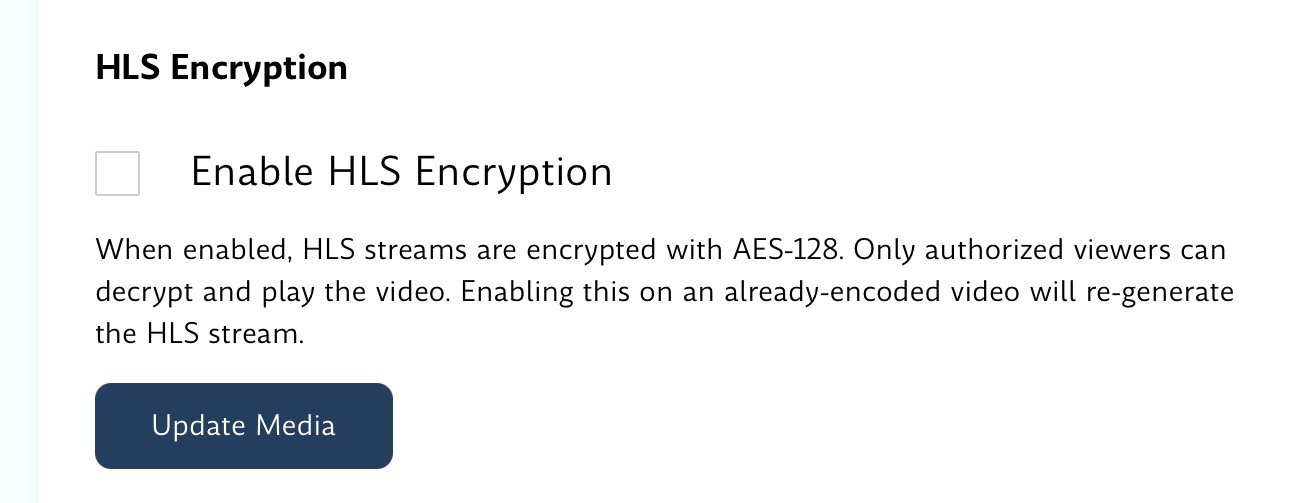
The per-upload HLS encryption toggle, found in the Edit Media page of your video.
For filmmakers who need to restrict who can watch a particular video — private screenings, festival submissions still under embargo, work shared with specific partners — Cinemata now supports opt-in AES-128 HLS encryption on a per-upload basis. When enabled, playback is restricted to authorised viewers, and the video cannot be accessed outside of that controlled context.
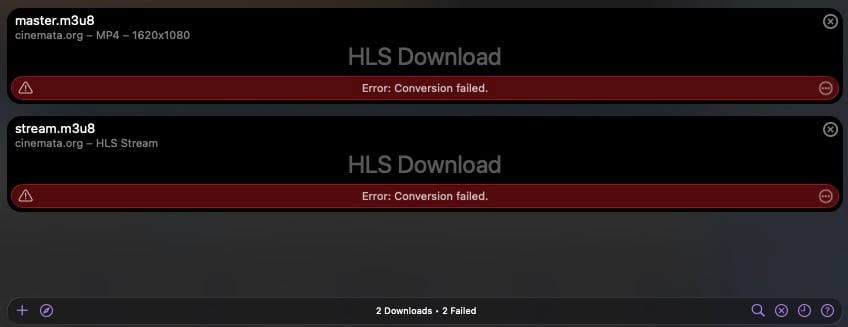
HLS Encryption in Action when a third-party software attempts to access Cinemata links.
This is an opt-in setting and doesn't affect your publicly accessible films at all. It's designed for situations where the standard public/unlisted/private visibility options aren't enough, and you need a harder technical guarantee about access.
🎨 Coming up: a new look for Cinemata — and some features worth knowing about early.
We're also close to shipping a redesigned Cinemata — new colours, new typography, and a rethought layout that feels more like the platform this community deserves. Two things are worth highlighting even before it launches.
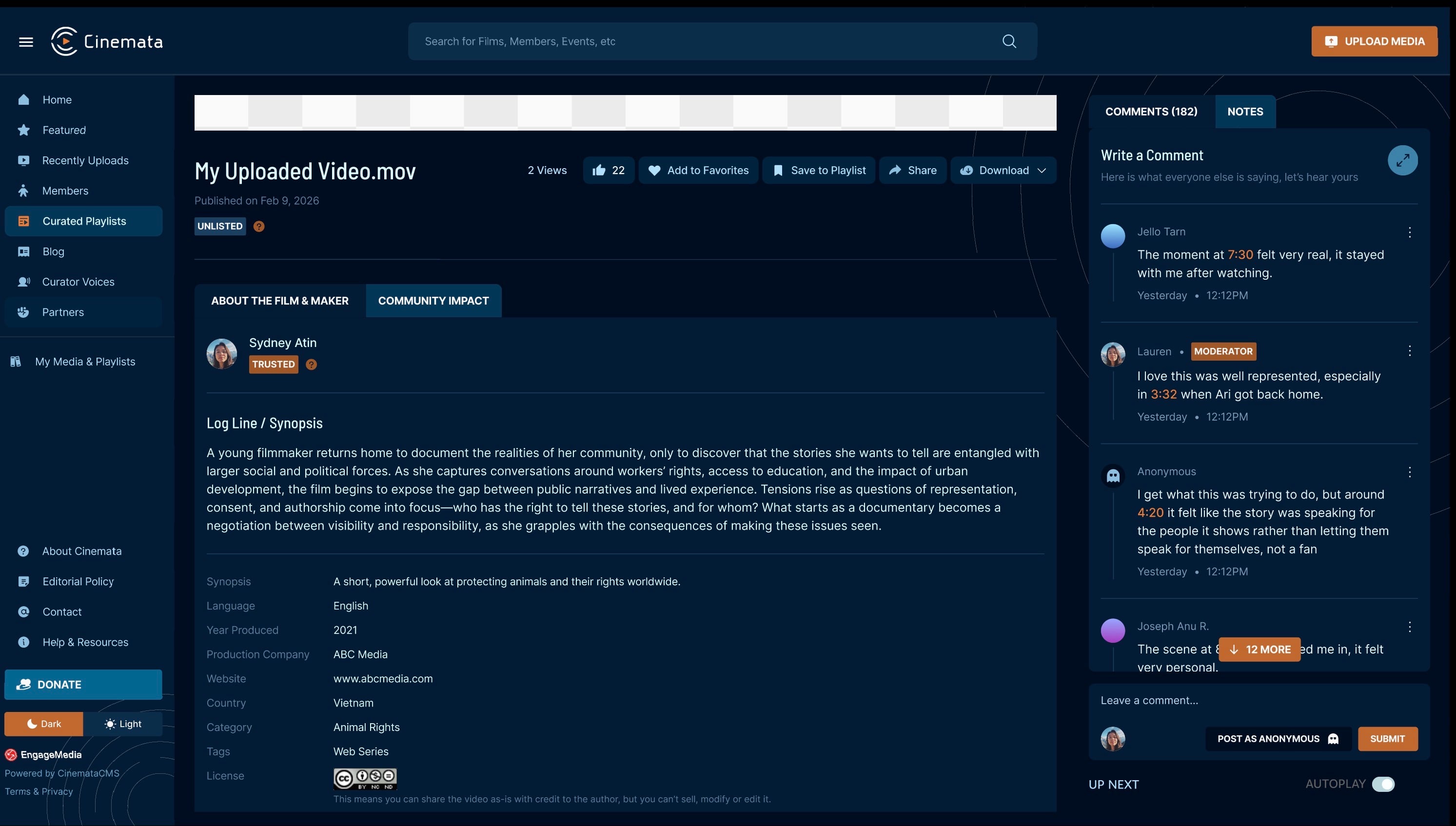
Comments displayed in a side panel alongside the film — always visible, never buried below the video.
The first is how comments now sit alongside your film rather than below it, always visible in a dedicated panel — a small change that makes a real difference to how it feels when someone takes the time to respond to your work.
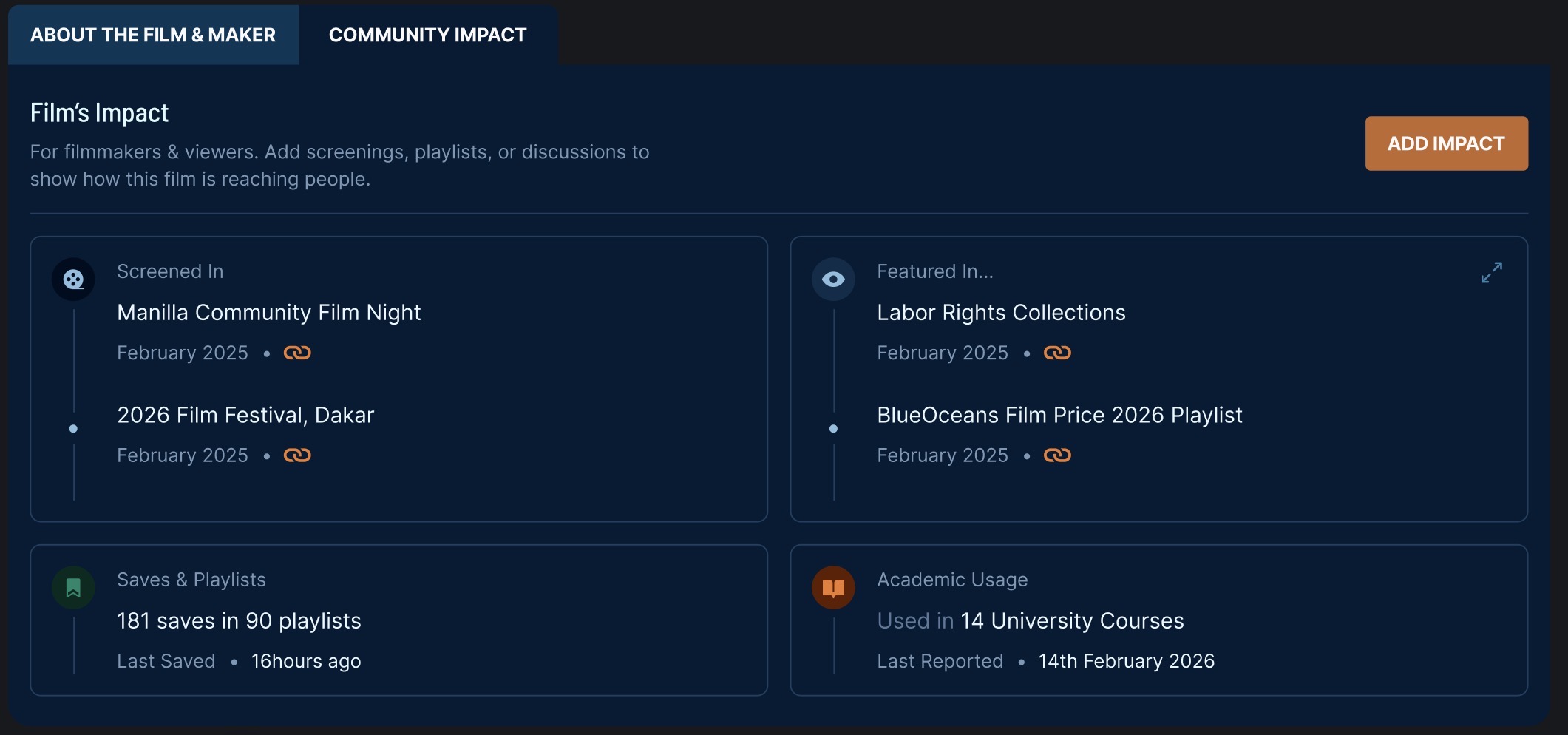
The Community Impact section on a film page — a living record of how a film has travelled: screenings, playlists, courses, and discussions.
The second is Community Impact: a new section on every film page where filmmakers and viewers can document how a film is actually reaching people — screenings it was shown at, playlists and collections it was added to, university courses that used it, discussions it sparked. It's a way of building a living record of a film's life beyond view counts. No other video platform makes that kind of real-world impact visible and community-verified on the film's own page — Cinemata is the first.